

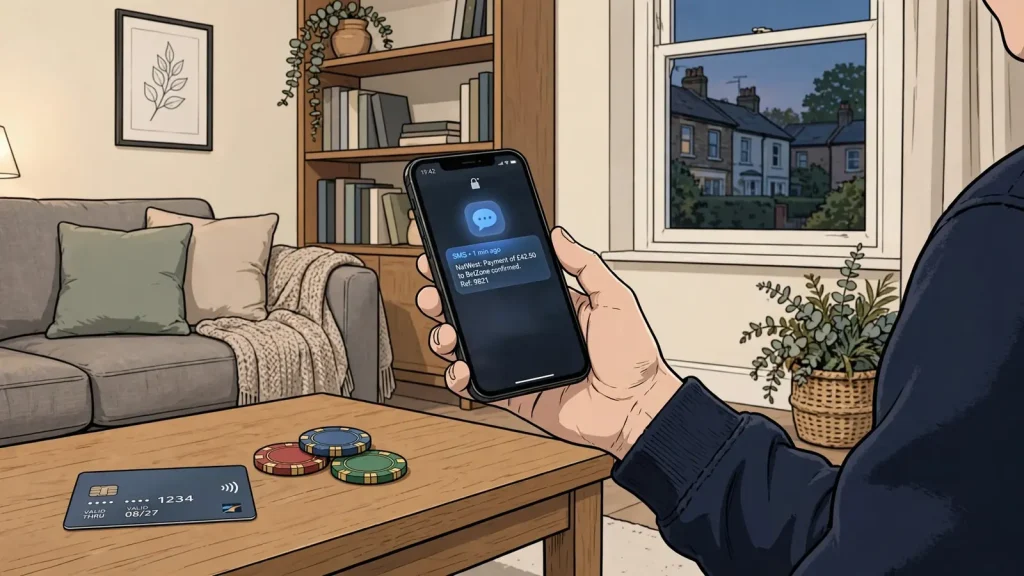
Follow the payment from the casino cashier to SMS authorisation and understand how a Payforit deposit affects withdrawals.
How Payforit Deposits Work on a Mobile
A Payforit deposit uses your mobile number to connect a payment request to your phone account. The casino begins the process, but your confirmation is what authorises the charge. Knowing where each step happens makes it easier to distinguish a submitted request from a completed deposit.
From the casino cashier to an SMS
On a mobile device, open the casino’s cashier and select Payforit as the deposit method. The cashier asks you to enter a mobile number. Check the number before continuing: the confirmation message must reach the phone associated with the account you intend to use for payment.
After you submit the number, an SMS arrives with a confirmation code. Enter that code in the payment flow and submit it. This is the authorisation step. Selecting Payforit or entering a phone number alone does not complete the deposit; the code must be supplied as requested.
The code links your approval to the pending payment request. Treat it as a payment credential: use it only in the confirmation process you initiated, and do not share it with another person. If you did not request a deposit, do not submit a code received unexpectedly. Return to the account and check the payment activity or contact the operator through its stated support route.
Once the code is accepted, the payment is processed through the phone account rather than by entering card details into the casino cashier. The casino then receives the payment status and updates the account accordingly. If the cashier does not show a completed deposit, do not assume that entering the code was enough to establish the final status. Check the transaction record and the phone account before trying again, so you can distinguish a delayed update from a second payment request.
Where the money is charged
The charge destination depends on the type of mobile service attached to the number. With a monthly contract phone, the Payforit amount is added to a future phone bill. It is therefore recorded as a phone-account charge and settled as part of that bill, rather than deducted immediately from a prepaid balance.
Pay by Phone Casinos UK: Deposits and Charges
With a Pay as You Go phone, the amount is taken from available prepaid credit. The payment can only draw on that phone credit; it is not a charge to a monthly contract bill. If the prepaid balance cannot cover the requested amount, the payment may not proceed. Check the phone account’s available credit and the amount shown in the payment flow before confirming.
In both cases, the casino deposit and the phone charge are connected, but they appear in different places. The casino account records the incoming deposit, while the phone provider’s account records the charge against the bill or prepaid balance. If you are reconciling a payment, check both records rather than relying on only the casino balance or only the phone account.
If the confirmation does not complete
A Payforit payment has several linked stages: choosing the method, supplying a mobile number, receiving the SMS, submitting its code, and seeing the resulting payment status. A break at any stage can leave the request incomplete. For instance, an incorrect number can prevent the expected message from reaching your phone; failing to submit the code leaves the request unauthorised.
If no confirmation message arrives, avoid repeatedly starting fresh requests without checking the cashier first. The original attempt may still be visible as pending, or the phone number may need correcting. Use the operator’s payment history to inspect the request and follow the instructions shown there. If the phone account shows a charge but the casino balance has not updated, keep the relevant transaction details and contact the operator for clarification.
The important distinction is between a request and an authorised payment. The SMS code confirms that you approve the specific Payforit transaction presented in the flow. After submitting it, check that the casino records the deposit and that the charge is reflected on the correct type of phone account. This lets you trace the transaction from the cashier to the SMS confirmation and then to the bill or prepaid credit.
DO
- Check the mobile number before proceeding
- Enter the SMS code immediately after receiving it
- Verify the transaction in both the casino and phone records
DON’T
- Share your SMS confirmation code with anyone
- Submit a code you did not personally request
- Assume a deposit is complete just by entering a phone number
Our top casino picks for the UK
- Revery PlayBonus: 100% up to€1,000+ 100 FS · Payout speed: 1-3 business days
- SpinFormulaBonus: 550% Up To £15,000 + 550 FS · Payout speed: 1-3 business days
- BritsinoBonus: Welcome Package – Get your £2,200 + 2,000 FS · Payout speed: 1-3 business days
- ZombillionBonus: Welcome Pack 250% up to £4000 + 200 FS · Payout speed: 1-3 business days
- NightLuckBonus: Welcome Pack + 805% Up To 6400€ + 280 FS · Payout speed: 1-3 business days
- BeOnBetBonus: 100% up to €500 + 100 FS · Payout speed: 1-3 business days
- WinBeastBonus: €5000 + 500 FS + €650 Freebet · Payout speed: 1-3 business days
What Changes When You Use Payforit at an Online Casino
Payforit changes how you add money to a casino account, but it does not change how the account itself works. The method is generally intended for mobile players: you access the operator’s cashier on a mobile device and use Payforit to fund your balance. It is not a general-purpose payment route for every device or every stage of your casino account.
That distinction matters if you are comparing online casino sites with Payforit. A casino may offer games and account services across different devices, while the payment option is available only in its mobile experience. Seeing Payforit mentioned in general information about an operator does not establish that you can use it from a desktop browser, or that it is available to every account. Check the operator’s current cashier on the device you plan to use.
Funding an account is not the same as cashing out
Payforit can be used to put funds into your casino account. Once credited, those funds become part of the account balance used for gambling, subject to the operator’s rules. The payment method does not, however, provide a route for sending casino funds back to you. You cannot withdraw winnings through Payforit.
This creates a one-way connection between the phone payment and the casino account: Payforit handles a deposit, not a complete deposit-and-withdrawal cycle. Your account may show a balance that includes money deposited through Payforit and any winnings, but that does not make the original phone-payment channel capable of paying money out. The cashier must offer a separate payout method for withdrawals.
Bitcoin Cash Casino Comparison for UK Players
Do not assume that a payment method shown beside the deposit controls will also appear in the withdrawal area. Deposit and withdrawal functions are separate parts of the cashier, and Payforit’s deposit role does not imply a matching payout facility. Before relying on a casino account for both payments, identify the withdrawal route available to your account and make sure you can meet its requirements.
Why the mobile restriction affects account use
Payforit is generally reserved for mobile players, so the phone is part of the payment context rather than merely a way to view the casino. If you start an account on a computer, you may need to switch to a mobile device to find or use the Payforit option. Conversely, a mobile casino interface does not guarantee that Payforit will be offered: the operator must support it for your account and display it in the cashier.
The practical effect is that you should separate three questions. Can you access the casino on your device? Does the cashier offer Payforit there? And, independently, does the account have a usable withdrawal route? A positive answer to the first does not settle the other two. This is why the phrase “online casino that accepts Payforit” needs to be understood as a claim about a specific payment function, not proof that every account feature is available through the same channel.
If you move between devices, the casino balance remains an account balance; the mobile-only nature of Payforit concerns how you make the deposit, not where the balance can be viewed or used. The operator’s account and game rules still apply. Payforit does not create a separate casino account or a special class of winnings.
Payforit Usage
Payforit is a one-way deposit method for mobile players and cannot be used to withdraw winnings.
What to check before treating it as a complete payment option
When assessing a Payforit online casino in the UK, look at the cashier as a whole rather than treating the deposit button as the only relevant detail. Confirm that Payforit is offered for deposits on your mobile device, then inspect the withdrawal options separately. Check the operator’s account conditions for any identity checks and payment requirements that apply before money can be released.
This is particularly important if you want to avoid depositing before you know how you could receive a withdrawal. Payforit itself cannot perform that step, so a separate verified route is needed. The available route and its conditions depend on the operator and your account; they should not be inferred from the fact that Payforit appears among deposit methods.
There is no single “best” Payforit online casino based on the payment label alone. The label tells you only that the operator may support Payforit for mobile deposits. It does not establish that the method is available to you, that it can be used on every device, or that it covers withdrawals. Compare the account’s deposit and payout arrangements, then decide whether those arrangements fit how you intend to use the casino.
Payforit Deposit Limits, Charges and Account Checks
A Payforit deposit has two limits to distinguish: the range an individual casino makes available and the cap applying to a single phone-paid transaction. A specialist review describes operator minimums in the £3–£5 range, but this is not a fixed amount across casinos. The figure shown in the live cashier is the one that applies to your account when you deposit.
Casinos That Accept Siru Mobile in the UK
The Phone-paid Services Authority sets a £30 ceiling per Payforit transaction. That cap is not a target or a promise that every casino will let you deposit the maximum. An operator can set a lower maximum, and your mobile account may also affect whether a payment can be completed. Treat the cashier’s displayed amount as the practical limit for that deposit; do not assume a limit listed elsewhere is current.
Check the live cashier before paying
Open the casino’s cashier and select Payforit to see the terms attached to the method. Check the minimum deposit and maximum transaction value, including whether the figures displayed apply specifically to Payforit rather than to another payment option. If the amount you intend to deposit falls outside the stated range, the transaction may not be available at that value.
Look for any fee or other charge before confirming. The amount taken from your phone account and the amount credited to your casino balance need to be clear before you proceed. If the cashier does not explain a charge, check the operator’s payment terms or ask its customer support team rather than assuming the deposit is fee-free.
The cashier should also show the financial-limit controls available on the account. New remote customers must be prompted to consider setting a financial limit before making their first deposit. These controls must remain accessible afterwards, so you should be able to find them again in the account settings or responsible-gambling area. This is separate from Payforit’s transaction cap: a financial limit governs your account activity, while the cap restricts an individual phone-paid transaction.
Transaction Cap £30 per Payforit transaction
Minimum Deposit Typically £3–£5 (check live cashier)
Withdrawal Availability Not supported via Payforit
Confirm the amount your account can support
Before submitting a deposit, check that the selected amount is within the cashier’s stated range and the applicable per-transaction ceiling. Do not plan around repeating payments to get around the £30 cap. If a deposit is declined, review the amount and the operator’s instructions; trying a different value does not guarantee approval.
Your phone account matters too. Payforit charges a monthly contract phone bill or uses Pay as You Go credit. A deposit that fits the casino’s range may still fail if the relevant account cannot cover it. Check your available balance or phone-account arrangements before confirming, and make sure you understand where the charge will appear.
Limits, fees and account controls can differ between operators and may change. A previous deposit, an old review or a general payment-method description does not establish what is available now. Use the current cashier for the selected casino account, and pause if it does not clearly display the minimum, maximum, charges and limit controls. That check gives you the information needed to decide whether the deposit fits your budget before money is committed.
How to Withdraw Winnings After a Payforit Deposit
Payforit can put money into a casino account, but it cannot return winnings to your phone bill or Pay as You Go balance. You need a separate payout route supported by the casino and available to your account. Do not assume that the method used to deposit will also appear as a withdrawal option: deposit and payout methods are not necessarily interchangeable.
BNB Casino Comparison for UK Players
Before making a Payforit deposit, open the cashier’s withdrawal area and check which routes you can use. UK-licensed casinos may offer withdrawals to a debit card, bank account, PayPal, or an e-wallet such as Skrill or Neteller, but the options depend on the operator and your account. Treat the methods displayed for your own account as the relevant choices, rather than relying on a general list for a Payforit casino site.
Check that the payout route matches the account holder’s details and the currency used by the casino account. A mismatch can prevent a request from being completed. If the cashier offers a route you do not have, or one that cannot be verified in your name, resolve that before depositing rather than assuming another option will be available later.
Identity checks are another part of the withdrawal process. The operator may need to verify your details before releasing funds. Check your account for any outstanding requests and read the current terms describing the documents or information required. If verification is incomplete, a withdrawal request may not proceed until the operator has completed its checks.
The cashier’s terms also determine the applicable withdrawal minimum, maximum, fees and processing arrangements. These conditions can vary by operator and selected route, and they can change. Check them before depositing so you understand what happens if a balance falls below the stated withdrawal minimum or a requested amount exceeds the permitted maximum. The operator’s current cashier and terms are the place to confirm those details.
Withdrawal Limits
Payforit is strictly for funding your account; you must identify a separate, verified route for all withdrawals.
Some casinos outside the UK require winnings to be returned through the same method used for the deposit. That condition does not make Payforit a payout method: Payforit still cannot withdraw casino funds. Where such a rule applies, the operator’s terms need to explain how the account can receive winnings after a Payforit deposit. Do not assume that a different route will be accepted without checking.
A practical check is to confirm three things before funding the account: the payout method currently available to you, whether your identity verification is complete, and the operator’s current withdrawal terms. For a mobile casino using Payforit, these checks matter because the phone payment is only a way to fund play; you need a separate verified route to receive any winnings.
Payforit Compared with Other Mobile and Casino Payment Methods
Payforit and other payment options differ in where the money comes from and how the casino receives it. Payforit charges a transaction to your monthly mobile bill or deducts it from your Pay as You Go balance. That makes it a phone-based way to fund a casino account, rather than a payment taken directly from a bank account or stored-value service.
Boku is another pay-by-mobile option, but it is a separate service. A Boku payment requires confirmation by SMS, and the phone credit available to you must cover both the deposit and any network fee. A mobile network may apply a processing fee, with the amount depending on its network and tariff. Boku transactions are subject to a £30 per-transaction maximum. These details do not establish that a particular casino accepts Boku: check its current cashier before choosing it.
E-wallets such as Skrill and Neteller work differently from phone billing. They hold or transfer funds through an online payment account, so using one depends on whether the casino lists it and whether you have an eligible balance or funding source. Paysafecard is another possible alternative, but its availability also depends on the operator. A specialist review identifies Boku, e-wallets and Paysafecard as alternatives to Payforit; treat that as a comparison of payment types, not confirmation that any named casino currently supports them.
Debit cards provide a direct route from a bank account. A specialist review describes debit-card deposits at UK casinos as free and more widely accepted than Payforit, but those details can vary by operator. Check the cashier for the payment options and any charges shown for your account before proceeding.
Credit cards are not an alternative for gambling deposits at UK-licensed remote casinos. UK Gambling Commission rules prohibit licensees from accepting credit-card payments for gambling, including when a money service business routes the payment. This restriction concerns credit-card funds; it does not mean that debit cards are also prohibited.
The practical comparison is therefore about the funding source and the operator’s live support. Payforit draws on phone billing or prepaid mobile credit; Boku also uses the mobile account but has its own confirmation and possible network-fee conditions; e-wallets and Paysafecard follow separate payment arrangements; and a debit card draws on a bank account. Before selecting an option, confirm that it appears in the casino’s current cashier and read the terms displayed for that method. Availability on another operator, or in a general payment-method review, does not establish availability on the account you are using.
Boku
A pay-by-mobile option requiring SMS confirmation and subject to a £30 transaction cap.
E-wallets
Services like Skrill or Neteller that hold funds in an online payment account.
Debit Cards
A direct route from a bank account, often free and more widely accepted.
Payforit Deposits, Bonuses and Financial Limits
A Payforit payment does not automatically qualify for a casino promotion. A specialist review reports that most UK casinos exclude Payforit deposits from welcome bonuses and other promotional offers. Treat that as a prompt to read the terms for the specific offer, not as a rule that applies identically to every operator. The cashier may accept Payforit while the promotion’s terms exclude it; payment availability and bonus eligibility are separate decisions.
Before making a deposit, check whether the offer permits Payforit as the funding method. Read the qualifying-deposit conditions and any exclusions attached to the promotion. If the terms are unclear, ask the operator before depositing: a payment made without confirming eligibility may not be counted towards the offer. A bonus advertised as requiring no deposit is a different type of offer; its name alone does not establish that it is available to you or that a Payforit deposit is needed. Check the offer’s own conditions rather than assuming that a payment method determines eligibility.
Searches for a Payforit casino with no minimum deposit or no verification can also mix separate issues. Promotion conditions, deposit rules and identity checks are not interchangeable. Do not interpret a bonus label as proof that an operator will waive account checks or that a deposit is unnecessary. Check the casino’s terms and account requirements before relying on an offer.
Financial limits are a separate control from the amount accepted by a cashier or the terms of a bonus. New remote customers must be prompted to consider setting a financial limit before their first deposit. Use that prompt to decide what amount you can afford to spend, then set a limit through the account controls if appropriate. The limit is intended to help manage your gambling spend; it does not change which payment methods qualify for a promotion.
Account-level limit facilities must remain accessible after registration, so you can review or adjust your controls later. Locate them in the account settings or responsible-gambling area and check what each control covers before you rely on it. A deposit limit and a broader financial limit may govern different activity; do not assume that setting one automatically sets the other.
Keep these checks distinct: confirm the promotion’s payment-method terms, consider a financial limit before your first deposit, and make sure you can reach the account controls afterwards. That way, a bonus decision does not substitute for a spending decision, and a spending limit does not imply that a deposit qualifies for an offer.
Pay-by-Mobile Casinos and GamStop: Check the Licence First
A casino may advertise Payforit and describe itself as “not on GamStop”, but neither statement confirms that it is licensed to serve people in Great Britain. Payforit is a payment option; GamStop is a self-exclusion scheme. They answer different questions, and neither is evidence of a UKGC licence.
For real-money gambling in Great Britain, the operator must hold the relevant UK Gambling Commission licence, wherever the company is based. An offshore casino without that licence sits outside the UKGC regulatory system. A claim about being outside GamStop does not change the licensing requirement or establish that the site is suitable for you.
Licensing Check
Do not assume a site is legal just because it offers Payforit or claims to be ‘not on GamStop’; always verify the UKGC licence.
Before depositing, check the operator’s legal name and licence status against the UK Gambling Commission’s register. Make sure the licence applies to the business operating the casino, rather than relying on a logo, a payment-method badge or wording on a promotional page. If you cannot establish that the operator holds a current UKGC licence, do not treat Payforit availability as proof that it can legally offer gambling to customers in Great Britain.
The phrase “Payforit casino not on GamStop” can therefore describe a payment feature and a self-exclusion claim, but it does not identify a category of UK-licensed casino. A Payforit mobile casino may appear in a cashier while still requiring you to verify who operates it and whether that operator holds the required licence. A specialist review may mention operators such as Kwiff, NetBet, JackpotJoy or Virgin Games as offering Payforit, but cashier options can change; a review is not a substitute for checking the live site and its licence.
If you have registered with GamStop, do not use a casino’s “not on GamStop” claim as a way around your self-exclusion. Check the scheme’s terms and seek support if you are struggling to stick to your gambling limits. A payment method cannot remove the protections or obligations associated with self-exclusion.
Keep the checks separate: confirm UKGC licensing, consider whether the site’s self-exclusion arrangements are appropriate for you, and then verify whether Payforit is actually offered in that operator’s current cashier. A “top Payforit casino” label, a mobile-payment logo or a promise of access outside GamStop establishes none of these points on its own.
Mobile Top-Up Casino UK: How Phone-Bill Deposits Work
Using Payforit for Slot Deposits
Payforit adds money to your casino account; it does not purchase a particular slot or select which games you can play. Once the deposit is in your balance, the casino’s game catalogue and account rules determine what is available. A site mentioning Payforit therefore does not, by itself, tell you which slots it offers.
The method is generally intended for mobile players. If you are looking for a casino where you can fund an account by phone, check that Payforit appears as a deposit option when you access the operator on your mobile. A payment logo or a general statement on another page may not confirm that the option is available for your account.
The transaction ceiling also matters when comparing sites. Payforit deposits are capped at £30 per transaction under the Phone-paid Services Authority limit. A casino may set a lower maximum or a minimum deposit in its cashier, so check the displayed terms before you start. Do not assume that a low-deposit claim means the method will accept a particular amount: the operator’s live payment screen determines the permitted transaction.
Searches for free spins or no-deposit slots describe promotions or access to games, not a feature of Payforit. Payforit is a funding method, and using it does not itself provide free spins or make a deposit unnecessary. Promotion eligibility depends on the casino’s own terms; check those terms separately before relying on an offer.
To judge whether a Payforit slot site is suitable, separate three questions: whether the casino offers the games you want, whether its current mobile cashier offers Payforit, and whether the deposit conditions fit your needs. For a UK-facing casino, also verify that the operator holds a current UKGC licence. Payment availability alone is not evidence of licensing or trustworthiness.
Final Check
- Confirm Payforit is available in the mobile cashier
- Check the minimum and maximum deposit limits
- Verify the operator holds a valid UKGC licence
- Ensure your identity verification is complete
How to Confirm a Casino Accepts Payforit
A general statement that a casino supports Payforit does not confirm that you can use it on your account today. Payment options can vary by operator and may change, so treat the live cashier as the deciding source. Sign in, open the deposit options and check whether Payforit is displayed for your account. Do this before relying on an external list or review.
Some specialist reviews have reported Payforit at operators such as Kwiff, NetBet, JackpotJoy and Virgin Games. That information can help you decide where to check, but it is not a current promise of availability. A review may describe a different date, account or set of conditions from the one that applies to you. If Payforit is absent from the cashier, do not assume that a general payment page means it can be selected.
Check the operator’s own payment information alongside the cashier if the option is unclear. Look for any account-specific restrictions or instructions, and contact the operator if those sources do not agree. A displayed logo or a page describing Payforit is not the same as an available deposit option within your account.
The cashier check also helps distinguish deposit support from other payment functions. A method appearing in a general list does not establish that it is available for every transaction or account. In particular, do not infer withdrawal availability from a deposit listing; confirm payout arrangements separately before you need them.
If you are comparing casino sites that accept Payforit in the UK, compare what each operator currently shows rather than relying on a fixed list. Availability can change after a review is published, and the operator’s payment terms may change too. Use information that identifies the operator and the relevant payment function, then verify it in your own account. This gives you a practical answer: Payforit is accepted for your account only when the current cashier offers it there.
iPad Casinos UK: Browser Play, Apps and Payments
Payforit at UK Casinos: What to Check Before You Deposit
Before using Payforit at a UK casino, check the operator, your account and the live cashier. A method mentioned on a general payment page may not be available for your account or on the device you are using. Open the casino’s cashier while signed in and confirm that Payforit is displayed as a deposit option before proceeding.
Availability can change. A specialist review may report Payforit at operators such as Kwiff, NetBet, JackpotJoy or Virgin Games, but that is not confirmation of what their cashier offers now. Treat the cashier as the current source for your own account; if the option is absent, do not assume that another route or device will make it available.
Check that the operator holds a current UKGC licence. Remote gambling operators serving customers in Great Britain must hold the relevant licence, wherever the operator is based. A payment option alone does not establish that a casino is authorised to serve UK players.
The operator must verify your age before allowing you to deposit. If age verification is incomplete, resolve it through the account process rather than attempting to fund the account first. Check that the details associated with your account and mobile service are accurate, since mismatched information can affect whether a payment is accepted.
Read the cashier’s terms before confirming a deposit. Check the minimum deposit, maximum transaction value and any fee shown for Payforit, as well as the financial-limit controls available on your account. These details can vary by operator and may change, so do not rely on figures from an older review or a different casino.
New remote customers must be prompted to consider setting a financial limit before their first deposit. Decide on a limit before funding the account, and confirm that account-level controls remain accessible afterwards. If any term is unclear, ask the operator for clarification before you authorise the payment.
Do all casinos accept Payforit?
No. Payforit is not available at every casino, and availability can also vary by account and device, so check the operator’s mobile cashier.
Can I withdraw casino winnings through Boku?
No. Boku, like Payforit, is a deposit method; casino withdrawals use a separate payout method offered in the cashier.
What is the maximum I can deposit with Boku at a UK casino?
Boku deposits are capped at £30 per transaction.
Are there fees for using Boku at online casinos?
A mobile network may charge a processing fee, and the amount can vary by network and tariff. Check your phone account and the cashier before confirming.
Can I use Boku on a pay-as-you-go phone?
Yes, if your prepaid phone credit covers the deposit and any network fee.